Loading ReplyMate
Connect Instagram and use Pro free for 1 month
Sign up, connect your Instagram Business or Creator account, and ReplyMate will activate Pro for one month at no charge.
Instagram Comment to DM Automation Official Meta API flow
Official Meta API flowTurn Instagram comments into DMs, leads, and customers.
Automatically reply to comments and send DMs when someone asks for your link, price, guide, course, or offer.
Free forever planNo Instagram passwordComment - DM - Lead
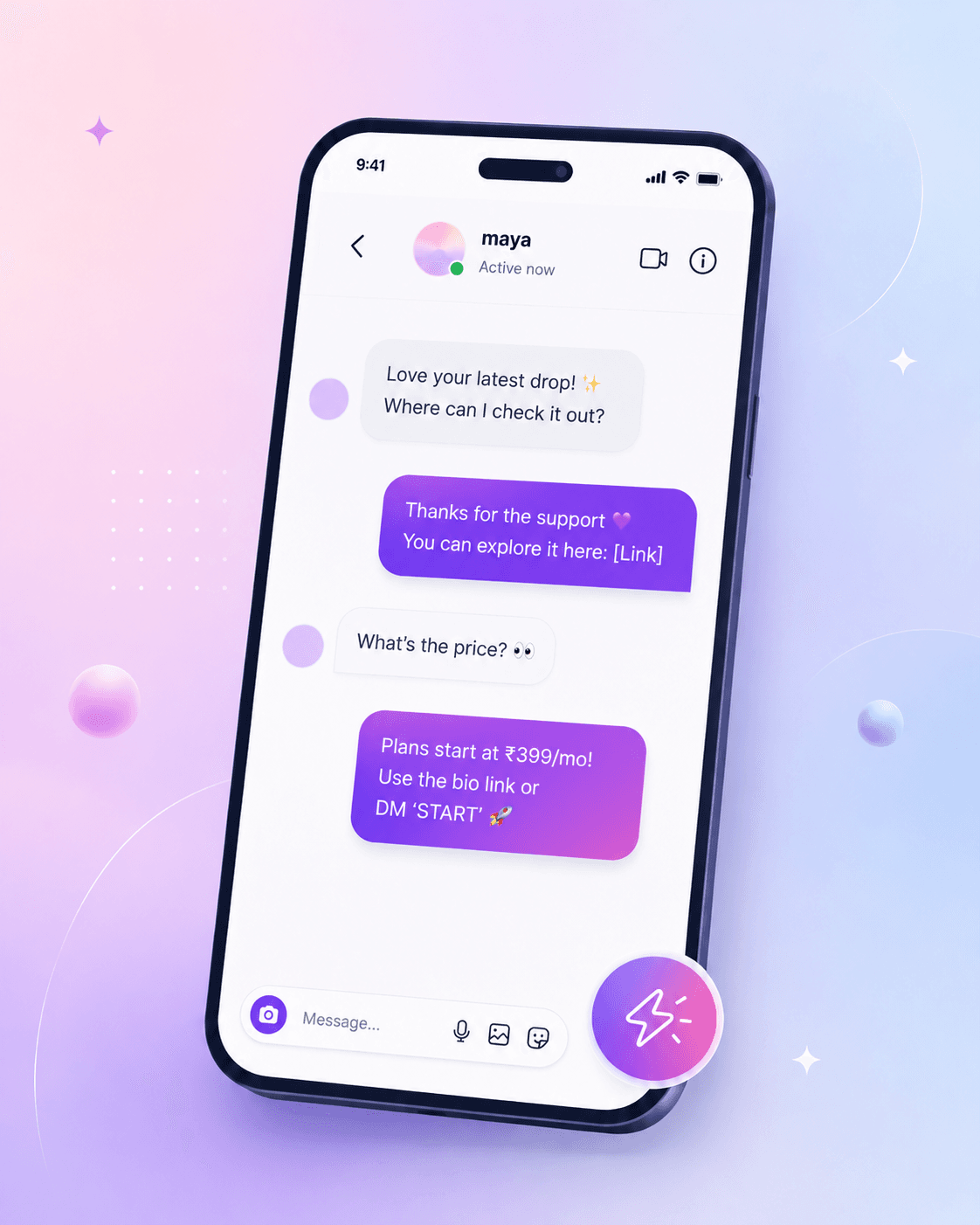
Product Demo
Someone comments. ReplyMate starts the conversation.
A comment like GUIDE, PRICE, or LINK becomes a public reply plus a private DM, without you switching apps.
Use Cases
What can you automate?
Turn repeated comment requests into instant conversations and capture interest while the person is still engaged.
Send a product, booking, or checkout link
Share pricing and ask if they want details
Deliver a PDF, resource, or lead magnet
Send course details and the next step
Send the discount, bonus, or limited-time CTA
Manual replies slow down every interested comment.
- Open Instagram after every notification.
- Find the comment and reply manually.
- Send the same DM again and again.
Comment to DM happens automatically.
- Someone comments LINK, PRICE, GUIDE, COURSE, or OFFER.
- ReplyMate sends the public reply and DM.
- You track replies and activity from your dashboard.
Pricing
Free forever. Upgrade when your comments grow.
Starter gives creators a real free plan. Pro adds higher limits, follow-gated links, and existing-comment re-triggering for creators turning Instagram attention into leads every day.
Starter
₹0
A real free plan for creators who want to turn Instagram comments into DMs and leads.
Start for free- 1 active Instagram account
- Switch accounts anytime
- AutoDM from posts and reels
- Reply to DM keywords
- 100 replies / hour
- Unlimited monthly replies
- 7 days analytics history
ProRecommended
₹299₹0first month
First month free, then ₹149/month
Starts at ₹0 for the first month for creators ready to gate links, re-trigger older comments, and handle bigger launches.
Signup to use Pro- 1 active Instagram account
- Switch accounts anytime
- Advanced AutoDM from posts and reels
- Reply to DM keywords
- Ask-to-follow gate for links
- Re-trigger existing comments
- 180 replies / hour
- Unlimited monthly replies
- 90 days analytics history
Free forever starter planNo hidden chargesOfficial Meta API flow
Available Today
Simple automation for creators who sell through Instagram.
Set up comment keywords, DM responses, and CTA buttons without building a complex chatbot.

Turn comments into DMs
When someone comments LINK, PRICE, GUIDE, or OFFER, ReplyMate replies publicly and sends the right DM instantly.

Send the right response automatically
Deliver links, pricing, course details, resources, and next steps without opening Instagram for every request.

Know what is working
See active flows, reply volume, recent activity, and analytics from one simple creator workspace.
Why ReplyMate
Simple, safe, and built for comment-driven growth.
ReplyMate focuses on the everyday workflows creators ask for most: links, pricing, guides, offers, and fast follow-up.

Works 24/7
Automations stay available even when you are not inside the dashboard.

Higher conversion
Move people from comment intent to a private DM before the moment passes.

Time saved
Reduce repetitive DMs and comment handling across repeat engagement patterns.
Meta verified provider
Built with official Instagram APIs. No Instagram password, scraping, or unsafe browser automation.

Powerful analytics
Track what is active, what changed, and how your workspace is performing.

Easy setup
Choose a trigger, define the response, review it, and publish without code.
How it works
Connect. Create. Go live.
 01
01Connect Instagram
Connect your Instagram Business or Creator account using the official Meta API flow.
 02
02Choose the keywords
Add words like LINK, PRICE, GUIDE, COURSE, or OFFER for a post or reel.
 03
03Write the reply
Save the public reply and DM once. ReplyMate handles matching comments after that.
Who it is for
Built for creators who sell through Instagram.
Content creators
Send guides, resources, links, and collab details automatically.
Coaches
Turn comments into consultation leads while interest is fresh.
Educators
Deliver PDFs, courses, webinars, and learning resources from comment keywords.
Small businesses
Answer product questions and send offers without losing buyers in the comments.
Built with Meta's official Instagram APIs.
- No Instagram password collection.
- No scraping or unsafe browser automation.
- Designed for approved comment and DM workflows.
FAQ
Before you log in
The most common questions creators ask before setting up ReplyMate.
What can I use in ReplyMate today?
Today the public product supports comment automations, keyword DM automations, automation management, and analytics.
Do I need code to build an automation?
No. The current builder is a guided product flow where you select the trigger, set rules, define the response, and save from review.
Can I preview what gets sent?
Yes. ReplyMate shows the final message state inside the setup flow so you can review public replies and DM responses before saving.
Is this already connected to Instagram in the product?
The workspace supports a connected Instagram account flow so you can move through automation setup quickly.
Can I send different replies based on what someone says?
Yes. Keyword and rule-based flows let you choose different trigger paths so the response can match the comment or DM.
How long does setup take?
A new workspace can move from signup to connected account and first automation in a few minutes, especially if you already know the trigger you want to use.
Do I need to write every reply from scratch?
No. ReplyMate lets you save the public reply, the DM response, and the CTA structure so the automation can run with the final approved message.
Can I manage replies and automations from one place?
Yes. The current workspace includes automations and analytics so you can move from setup to operations without changing tools.
Start free